
 Scribe
 Folio
Folio Sparkdeck
 Gridora
 FluxCut
 Pressa · PDF Compressor
Compress PDF files, without uploading them.
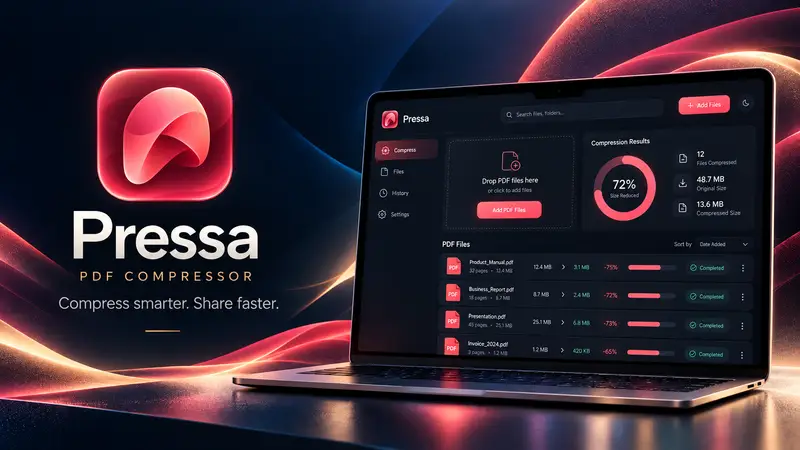
Pressa shrinks heavy PDFs right inside your browser. Your files never leave your device, so it's fast, it works for confidential paperwork, and there's no queue or upload limit on a slow connection.
Free with a SEMDIV account: files up to 150 MB, up to 25 per batch.
How it works
- 1
Drop your PDFs
Add one file or a whole batch — up to 25 at a time.
- 2
Pick how small
Choose a preset, or type a target size such as 1 MB for an upload form.
- 3
Preview and save
Compare before and after, check the size, then download.
What you can do with Pressa
Five presets
Smallest, Email, Balanced, Print and Lossless — from screen-only to print-sharp.
Hit a target size
Ask for “under 1 MB” and Pressa lowers image quality step by step until the file fits.
Batch compression
Compress a folder of PDFs in one pass and download them together.
Before/after preview
See pages side by side and the exact saving before you keep anything.
Text stays sharp
Text and vector drawings are kept as they are; only images are resampled.
Private by design
Compression runs in your browser on your own device. Nothing is sent to a server.
Questions about Pressa
Are my PDFs uploaded anywhere?
No. Pressa reads and compresses the file inside your browser. The PDF never leaves your device; only a small history entry (file name and sizes) is saved to your account.
How much smaller will my PDF get?
It depends on what's inside. Scanned pages and photo-heavy PDFs often shrink a lot; files that are mostly text are already small and change less. Pressa shows the exact result before you save.
Can I compress a PDF to under 1 MB or 200 KB?
Yes — use a target size. Pressa reduces image quality until the file fits and shows you the result, so you can check it's still readable.
Will the text become blurry?
No. Text and vector graphics are kept as they are. Only images are resampled, and the Lossless preset doesn't touch pixels at all.
Is it really free?
Yes. Create a free SEMDIV account and compress as many PDFs as you like within the Free limits.