
 Scribe
 Folio
Folio Sparkdeck
 Pressa
 FluxCut
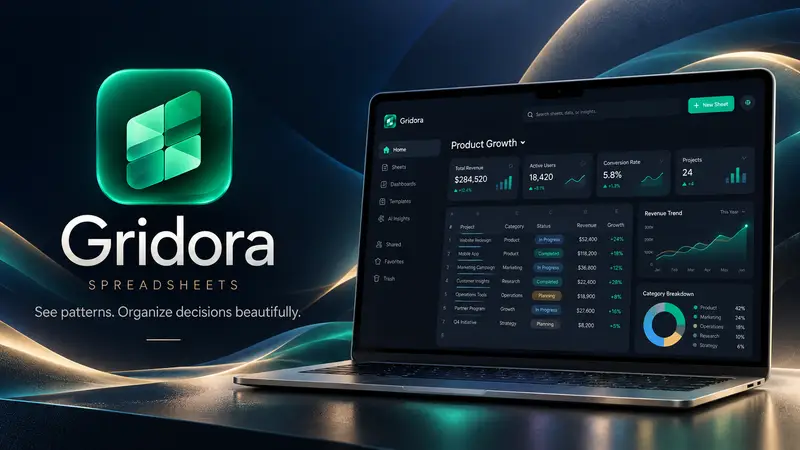
 Gridora · Spreadsheets
A spreadsheet that thinks visually — free, in your browser.
Gridora has the formulas you already know, charts that build from a selection, and the file formats you already use. Open an Excel file, work on it, and save it back.
Free with a SEMDIV account: up to 20 workbooks, 10 sheets and 100,000 cells each.
How it works
- 1
Start or open
Begin from a template or open an .xlsx, .ods or .csv file.
- 2
Work the numbers
Use familiar formulas, pivot tables, rules and one-click charts.
- 3
Save anywhere
Export to Excel, OpenDocument, CSV, PDF and many more formats.
What you can do with Gridora
About 200 formulas
SUM to XLOOKUP, dynamic arrays that spill, and instant recalculation.
One-click charts
Twelve chart types, built straight from the cells you select.
Pivot tables
Summarise thousands of rows by any column in a few clicks.
Rules & validation
Conditional formatting, drop-down lists and input checks.
Flash fill
Type a couple of examples and Gridora fills in the rest of the column.
Every format
Opens Excel, OpenDocument, Numbers and CSV; exports to 22 formats including PDF.
Questions about Gridora
Can I open and edit Excel files?
Yes. Gridora opens .xlsx, .xls and .xlsb files and saves back to .xlsx with formulas, styles, merges, rules and comments.
Does it work with Google Sheets or LibreOffice?
Yes — export to OpenDocument (.ods) or CSV and open the file in either.
Do my formulas still work after export?
Formulas are kept in .xlsx, .ods and the XML formats. A few older or simpler formats (like Apple Numbers and CSV) save the results only.
Is Gridora free?
Yes. The Free plan includes every feature within the workbook and size limits above.