
 Scribe
 Sparkdeck
 Gridora
 Pressa
 FluxCut
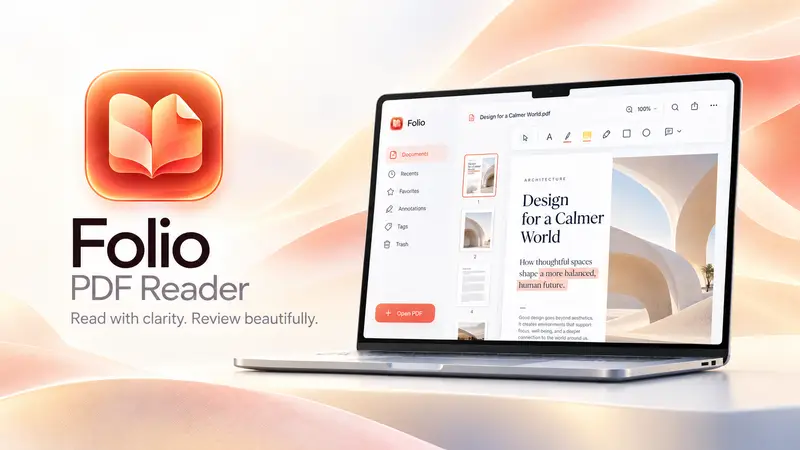
 Folio · PDF Reader
Read, mark up and sign any PDF in your browser.
Folio opens any PDF instantly and gives you pen-on-paper tools to highlight, comment, sign and redact. The PDF itself stays in your browser; your edits follow your account.
Free with a SEMDIV account: up to 20 PDFs, 100 MB each.
How it works
- 1
Open a PDF
Drag in any standard PDF — no install, no plug-in.
- 2
Mark it up
Highlight, write notes, fill fields, sign, redact or rearrange pages.
- 3
Export
Save a clean PDF with every change applied, ready to send.
What you can do with Folio
Highlight & annotate
Highlight, underline, strike out, draw, add shapes, text boxes, stamps and sticky notes with replies.
Fill & sign forms
Type into fields, tick boxes, add dates, and place a drawn or typed signature.
True redaction
Black out sensitive text; applied redactions are burned into the exported page, not just covered.
Organise pages
Rotate, crop, delete and extract pages, or merge several PDFs into one.
Watermarks & headers
Stamp a watermark, header or footer across chosen pages.
Search & look up
Find any word across the document, add bookmarks, and look up word meanings.
Questions about Folio
Is my PDF uploaded to a server?
No. The PDF file stays in your browser's storage on your device. Only your edits — annotations, notes, bookmarks, form values and signatures — are saved to your account.
Can I sign a PDF for free?
Yes. Draw or type your signature, place it anywhere on the page, and export the signed PDF.
Does redaction really remove the text?
Yes. When you apply a redaction, Folio redraws that page as an image with the black boxes burned in, so the hidden text can't be selected, searched or copied from the exported PDF.
Can I merge or reorder PDF pages?
Yes. Merge several PDFs, then rotate, crop, delete or extract pages before exporting.
Do I need to install anything?
No. Folio runs in any modern browser on Windows, Mac, Linux or Chromebook.