
 Scribe
 Folio
 Sparkdeck
 Gridora
 Pressa
 FluxCut
 Drive
 Calendar
 Todo
 Contacts
 Memo
 Chat
 Meet
 Drive · Cloud storage
Keep every file safe, and find any word inside it.
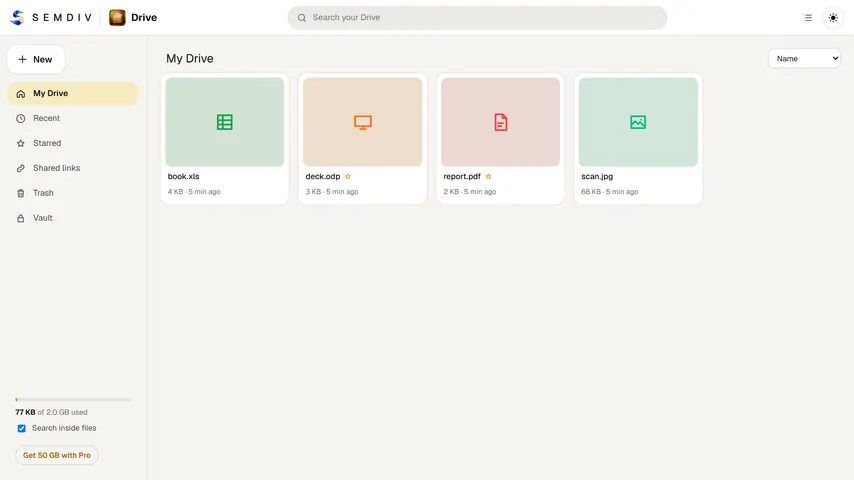
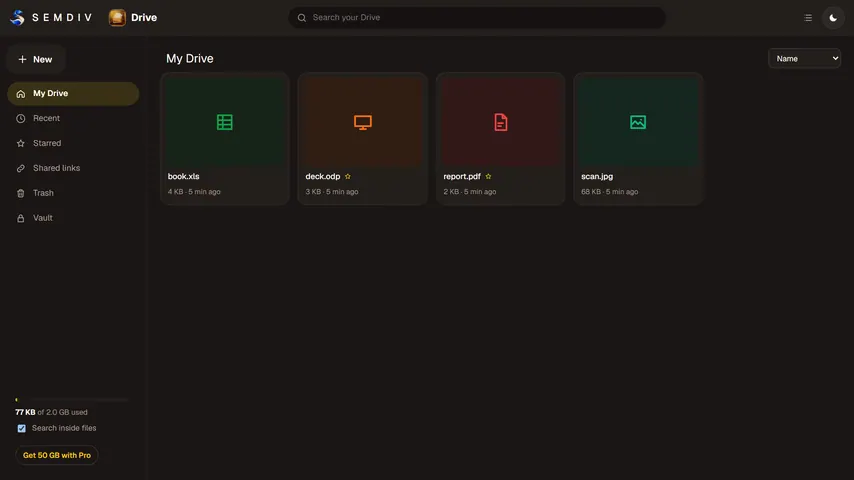
Drive is the cloud storage for your SEMDIV account. Upload files and folders, preview them in the browser, share them with a link, and open documents, PDFs, spreadsheets and slides in the SEMDIV app that edits them.
Free with a SEMDIV account: 2 GB of storage and files up to 500 MB. Plans from 30 GB (₹49 a month) up to 5 TB; Pro has 100 GB.
How it works
- 1
Upload
Drag files or whole folders into Drive from any browser.
- 2
Organise and find
Sort files into folders, star what matters, and search by name or by the words inside your documents, PDFs and photos.
- 3
Share or open
Make a link with an optional password and expiry date, or open the file in Scribe, Folio, Gridora or Sparkdeck.
What you can do with Drive
Search inside files
Drive reads the text in your documents, PDFs and photos, using on-device text recognition for scans, so you can find a file by what it says.
Share links you control
Add a password, choose how long a link works, see view and download counts, and turn a link off at any time.
Encrypted Vault (Pro)
Vault files are encrypted with AES-256 on your device before upload, with a passphrase only you know. SEMDIV cannot read them.
Version history (Pro)
Upload a new version of a file and go back to any earlier one.
Opens in every SEMDIV app
Open Word, PDF, Excel and PowerPoint files from Drive in Scribe, Folio, Gridora or Sparkdeck, and shrink big files with Pressa.
Previews and trash
Preview photos, PDFs, videos and audio in the browser; deleted files wait in the trash until you empty it.
Questions about Drive
How much free storage does Drive give?
2 GB with a free SEMDIV account, with files up to 500 MB each. SEMDIV Pro includes 100 GB (files up to 10 GB) for ₹119 a month; Lite has 30 GB for ₹49, and 200 GB, 2 TB and 5 TB plans add more room.
Are files in Drive uploaded to a server?
Yes. Drive is cloud storage, so files are kept on SEMDIV's storage servers and follow your account across devices. Vault files are encrypted on your device first, so only you can open them.
Can I share a file with a password?
Yes. When you make a share link you can set a password and choose when the link stops working. You can see how often it was viewed and downloaded, and turn it off at any time.
Can Drive find text inside PDFs and scanned photos?
Yes. Turn on Search inside files and Drive reads the text in your documents, PDFs and photos. Scans are read with text recognition that runs on your device.
What if I forget my Vault passphrase?
The Vault can't be opened without it, and SEMDIV can't recover it, because the key never leaves your device. You can erase the Vault and set it up again.
More free tools in SEMDIV
 PressaCompress PDF files
 FolioRead, mark up and sign
 FluxCutEdit video in your browser
 GridoraA spreadsheet that thinks
 SparkdeckMake slides that move people
 ScribeWrite with clarity
 CalendarPlan your days
 TodoGet the right things done
 ContactsEveryone you know
 MemoCatch the thought
 ChatPrivate messages
 MeetFace-to-face meetings