
 Scribe
 Folio
 Sparkdeck
 Gridora
 Pressa
 FluxCut
 Drive
 Calendar
 Todo
 Contacts
 Memo
 Chat
 Meet
 Meet · Meetings
Face-to-face meetings, right in your browser.
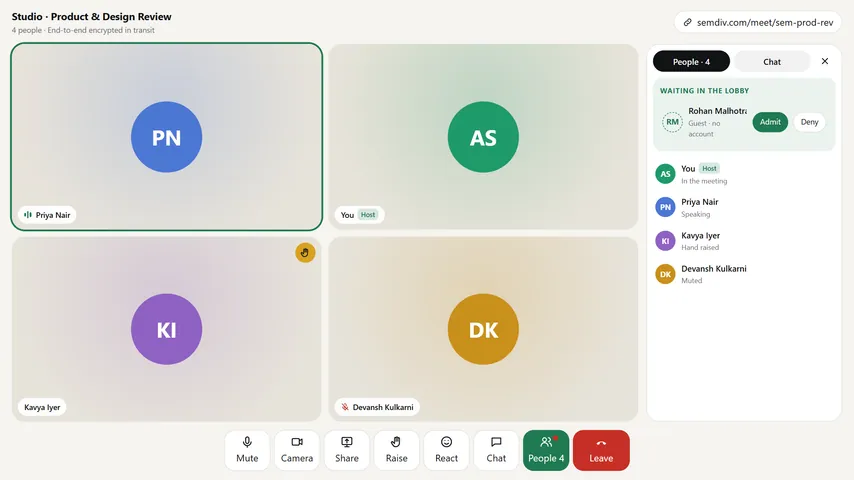
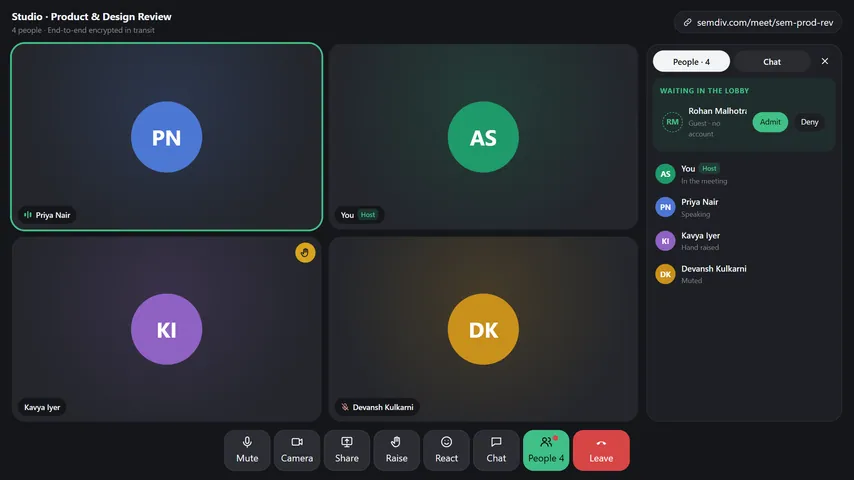
Start a room in one click or schedule one for later and share the link. Guests join from any browser without installing anything — they type their name and wait in the lobby until the host lets them in.
Free for up to 8 people per call with a SEMDIV account (25 on Pro). Guests join free with the link.
How it works
- 1
Start or schedule a room
Create an instant meeting code or schedule one on your calendar and copy the link.
- 2
Check your camera & mic
Pick your camera, microphone and speaker in the green room before anyone sees you.
- 3
Admit guests & share screen
Let guests in from the lobby, share a window or tab, raise a hand, and use live in-call chat.
What you can do with Meet
Up to 8 free, 25 on Pro
Every SEMDIV account can host meetings for up to 8 people for free, or up to 25 people on Pro.
Guests welcome via lobby
Anyone with the link can type their name and wait in the lobby until the host admits them.
Green room preview
Test and switch your camera, microphone and audio output before stepping into the call.
Screen share & hand raise
Present your screen, raise a hand without interrupting, and react in real time.
In-call chat & host controls
Send links and notes during the call, mute participants, or end the meeting for everyone.
Encrypted & never recorded
Audio and video are encrypted in transit (DTLS-SRTP) and are never recorded or stored by SEMDIV.
Questions about Meet
Do guests need a SEMDIV account or an app install?
No. Anyone with the meeting link can open it in their browser, type their name, and wait in the lobby for the host to let them in.
How many people can join a meeting?
Up to 8 people on the Free plan, and up to 25 people when hosted by a Pro account.
Are meetings recorded?
No. Calls are encrypted in transit using WebRTC (DTLS-SRTP) and are never recorded or stored on SEMDIV servers.
Can I start a meeting from Chat?
Yes. Click Meet now inside any Chat thread to open a room and post the link straight into the conversation.
More free tools in SEMDIV
 PressaCompress PDF files
 FolioRead, mark up and sign
 FluxCutEdit video in your browser
 GridoraA spreadsheet that thinks
 SparkdeckMake slides that move people
 ScribeWrite with clarity
 DriveKeep every file safe
 CalendarPlan your days
 TodoGet the right things done
 ContactsEveryone you know
 MemoCatch the thought
 ChatPrivate messages