
 Scribe
 Folio
 Sparkdeck
 Gridora
 Pressa
 FluxCut
 Drive
 Calendar
 Todo
 Contacts
 Memo
 Chat
 Meet
 Calendar · Schedule
Plan your days in one calm calendar.
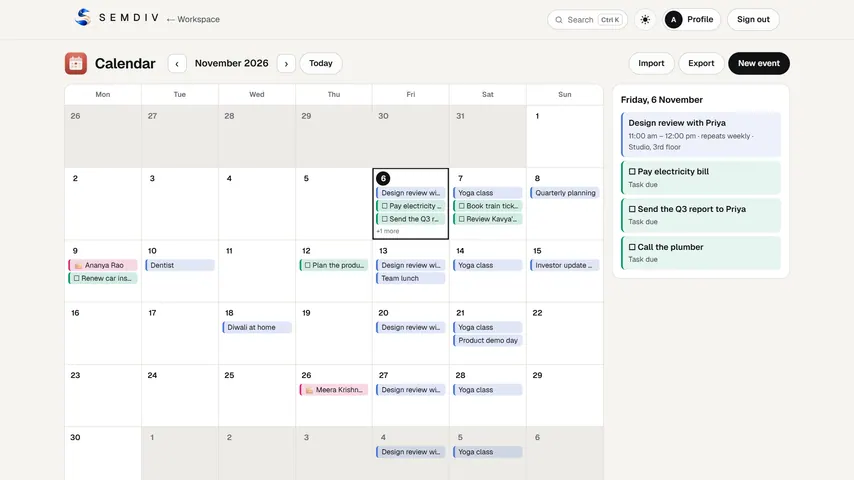
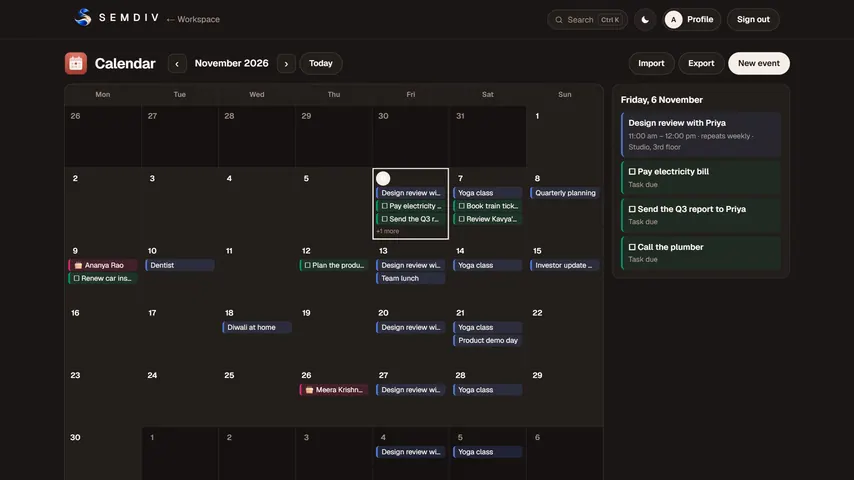
Calendar puts your events, task deadlines and birthdays on one month view. Double-click a day to add an event, set it to repeat, and bring your existing calendar across with an .ics file.
Free in full with a SEMDIV account.
How it works
- 1
Add or import
Double-click a day to add an event, or import an .ics file exported from Google Calendar, Outlook or Apple Calendar.
- 2
See your month
Events, Todo task due dates and birthdays from Contacts appear together; pick a day to see its agenda.
- 3
Take it with you
Export your whole calendar as an .ics file whenever you like.
What you can do with Calendar
Month view and day agenda
See the whole month at a glance and every detail of the day you pick.
Repeating events
Events can repeat daily, weekly, monthly or yearly, with an optional end date.
Tasks and birthdays included
Due dates from Todo and birthdays saved in Contacts show on the calendar automatically.
All-day and timed events
Add a location, notes and a colour to any event.
.ics import and export
Move calendars in and out in the standard format Google Calendar, Outlook and Apple Calendar use.
Free for everyone
Calendar is free in full with a SEMDIV account; nothing is held back for Pro.
Questions about Calendar
Is SEMDIV Calendar free?
Yes. Calendar is free in full for everyone with a SEMDIV account; nothing in it needs Pro.
Can I bring over my Google Calendar or Outlook calendar?
Yes. Export your calendar as an .ics file from Google Calendar, Outlook or Apple Calendar and import it into SEMDIV Calendar, which exports .ics the same way.
Does the calendar show birthdays?
Yes. Birthdays saved in Contacts appear on the calendar every year.
Can events repeat?
Yes. An event can repeat every day, week, month or year, until a date you choose or with no end.
Does it sync with Google Calendar automatically?
Not yet. SEMDIV Calendar moves events in and out with .ics files rather than a live two-way sync.
More free tools in SEMDIV
 PressaCompress PDF files
 FolioRead, mark up and sign
 FluxCutEdit video in your browser
 GridoraA spreadsheet that thinks
 SparkdeckMake slides that move people
 ScribeWrite with clarity
 DriveKeep every file safe
 TodoGet the right things done
 ContactsEveryone you know
 MemoCatch the thought
 ChatPrivate messages
 MeetFace-to-face meetings