
 Scribe
 Folio
 Sparkdeck
 Gridora
 Pressa
 FluxCut
 Drive
 Calendar
 Todo
 Contacts
 Memo
 Chat
 Meet
 Pressa · File Compressor
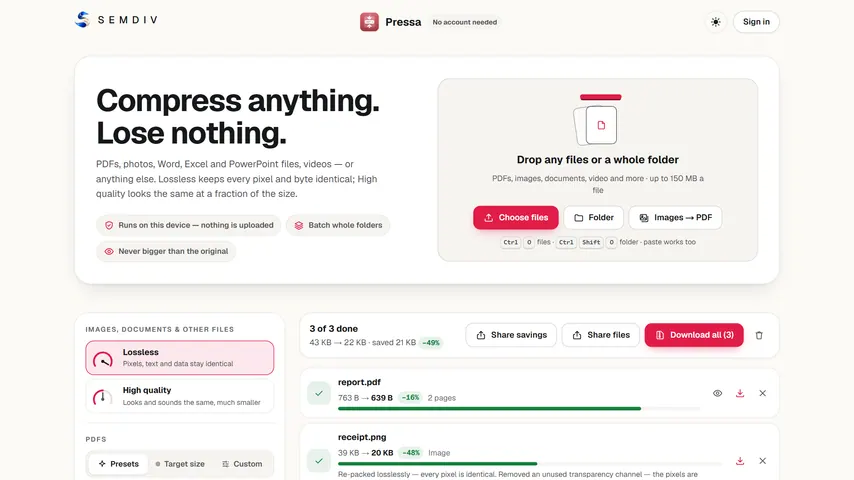
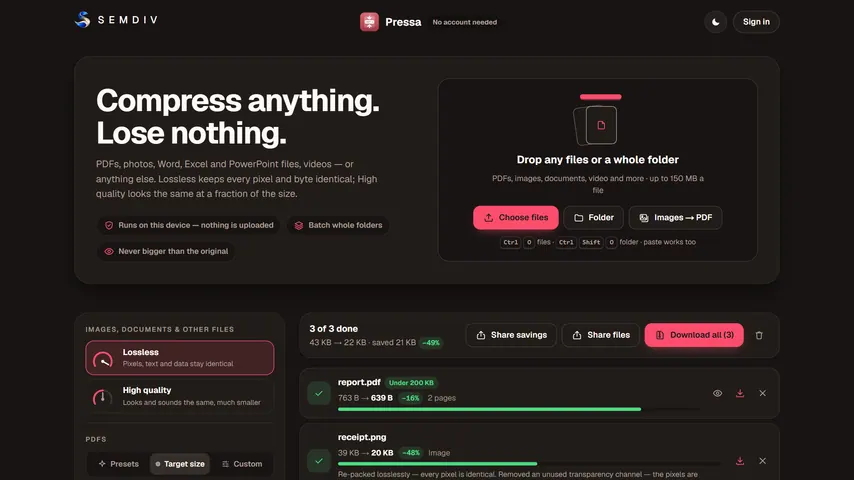
Shrink any PDF under 200 KB, without uploading your ID.
Government, exam, banking and visa portals regularly reject PDFs over 200 KB or 100 KB — yet uploading an Aadhaar card, PAN card, marksheet or bank statement to an unknown cloud server is risky. Pressa binary-searches the exact quality needed inside your own browser tab so your document never leaves your device.
100% free, no account or watermark: up to 150 MB and 25 files per batch.
How it works
- 1
Drop your PDF above
The 200 KB target is pre-selected — or pick 100 KB, 300 KB or 500 KB in Pressa.
- 2
Automatic byte-budget search
Pressa steps image resolution and compression until your PDF lands safely below your exact KB limit.
- 3
Check legibility & download
Inspect the side-by-side preview to make sure stamps, signatures and numbers stay crisp, then save.
What you can do with Pressa
Exact KB target mode
Type 100 KB, 200 KB, 300 KB or any custom limit instead of guessing low/medium/high sliders.
Safe for sensitive IDs
Runs 100% on your phone or laptop inside browser memory — zero server upload, zero cloud copies.
Sharp text & stamps
Vector text stays crisp while embedded scan photos are tuned to fit the portal's byte cap.
Batch portal prep
Compress marksheets, ID proofs and certificates together in one pass.
Before/after zoom
Verify small registration numbers and QR codes before downloading.
Works offline after load
Even on flaky mobile data, compression happens locally with no upload queue.
More Pressa workflows
Compress PDF →
Pressa shrinks heavy PDFs right inside your browser. Your files never leave your device, so it's fast, safe for confidential paperwork, and there's no server queue or upload limit on a slow connection.
Compress PDF to 1 MB / 200 KB →
Upload forms for visas, universities, courts and job portals reject PDFs that are even a few kilobytes over the limit. Pressa's Target Size mode binary-searches the optimal image resolution and quality right in your browser until your PDF fits the exact byte budget you type.
Private No-Upload Compressor →
Most “free” online PDF compressors upload your private contracts, tax filings and medical records to remote cloud servers. Pressa runs the entire compression engine locally inside your browser, in Web Workers — and after your first visit it keeps working with your Wi-Fi switched off.
Compress Images, Office & Video →
Pressa isn't just for PDFs. Drop in a 90 MB PowerPoint deck, a folder of high-res PNG/JPEG photos, a Word report or a video clip — Pressa inspects the internal media streams and shrinks them locally on your device.
Questions about Pressa
Is it safe to compress Aadhaar, PAN or passport PDFs here?
Yes. Pressa runs completely inside your web browser on your own device. Your PDF bytes are never transmitted to SEMDIV or any third-party server.
How do I hit strictly under 200 KB for an exam or government form?
Drop your file into the 200 KB dropzone above (or choose Target Size -> 200 KB inside Pressa). Pressa automatically searches for the highest clarity that fits strictly below 204,800 bytes.
What if a multi-page scanned PDF won't go under 100 KB?
Very long photo scans have a physical floor; Pressa gets as close as possible while showing you the preview so you can split or trim unneeded pages in SEMDIV Folio first.
Do I need to sign up or pay?
No. Pressa is completely free without an account.
More free tools in SEMDIV
 FolioRead, mark up and sign
 FluxCutEdit video in your browser
 GridoraA spreadsheet that thinks
 SparkdeckMake slides that move people
 ScribeWrite with clarity
 DriveKeep every file safe
 CalendarPlan your days
 TodoGet the right things done
 ContactsEveryone you know
 MemoCatch the thought
 ChatPrivate messages
 MeetFace-to-face meetings