
 Scribe
 Folio
 Sparkdeck
 Gridora
 Pressa
 FluxCut
 Drive
 Calendar
 Todo
 Contacts
 Memo
 Chat
 Meet
 Memo · Notes
Catch the thought, before it's gone.
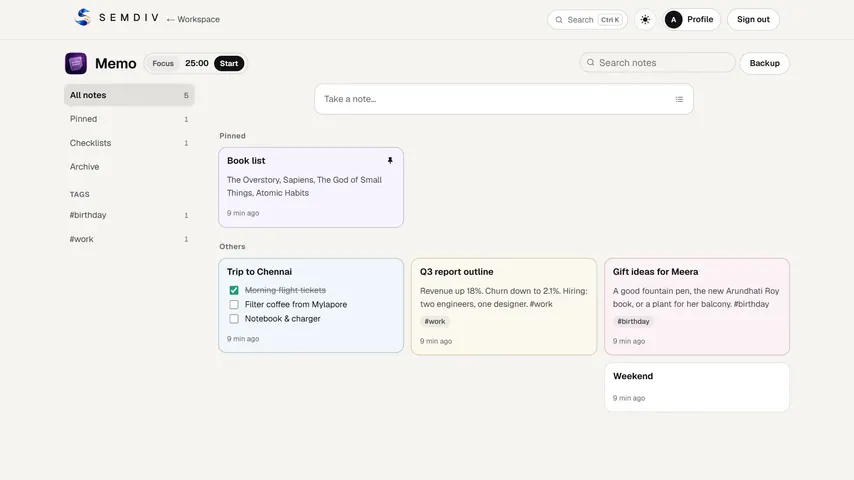
Memo is for everything that's too small for a document: an idea, a shopping list, a number someone read out on a call. Type it, tag it, and find it again in a second, on any device you sign in on.
Free in full with a SEMDIV account.
How it works
- 1
Take a note
Click Take a note, or press N. Write, or switch to a checklist; add #tags anywhere in the text.
- 2
Keep it tidy
Pin what matters, give notes a colour, archive what's done, and search everything as you type.
- 3
Take it further
Open a note in Scribe as a document, send a checklist's open items to Todo as tasks, or save it to Drive.
What you can do with Memo
Notes and checklists
Tick items right on the card; turn a note into a checklist and back without retyping.
#tags and search
Type #ideas or #work anywhere and the note is grouped there; search covers titles, text, items and tags.
On every device
Notes are saved to your SEMDIV account, so the note you wrote on your phone is on your laptop.
Focus timer
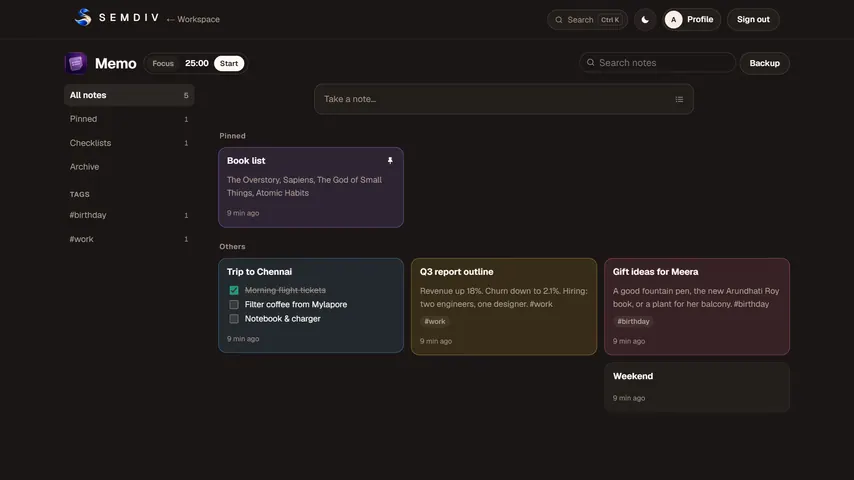
A 25-minute focus session and a 5-minute break that stay accurate in a background tab, with a soft chime.
Works with the suite
Open a note in Scribe, send open checklist items to Todo once, or save a Markdown copy to Drive.
Undo and backup
Archive and delete can be undone, and one click downloads every note as a backup file.
Questions about Memo
Is Memo free?
Yes. Memo is free in full for everyone with a SEMDIV account.
Are my notes saved online?
Yes. Notes are saved to your SEMDIV account so they're on every device you sign in on, and they're removed if you delete your account. You can download a backup of every note at any time.
Can a note become a document or tasks?
Yes. Open any note in Scribe to format and export it as Word or PDF, or send a checklist's open items to Todo as tasks.
Is there a focus timer?
Yes. Memo has a 25-minute focus timer with a 5-minute break. It counts to a fixed end time, so it stays accurate even when the tab is in the background.
More free tools in SEMDIV
 PressaCompress PDF files
 FolioRead, mark up and sign
 FluxCutEdit video in your browser
 GridoraA spreadsheet that thinks
 SparkdeckMake slides that move people
 ScribeWrite with clarity
 DriveKeep every file safe
 CalendarPlan your days
 TodoGet the right things done
 ContactsEveryone you know
 ChatPrivate messages
 MeetFace-to-face meetings