
 Scribe
 Folio
 Sparkdeck
 Gridora
 Pressa
 FluxCut
 Drive
 Calendar
 Todo
 Contacts
 Memo
 Chat
 Meet
 Folio · PDF Reader
Turn photos into a PDF, page by page.
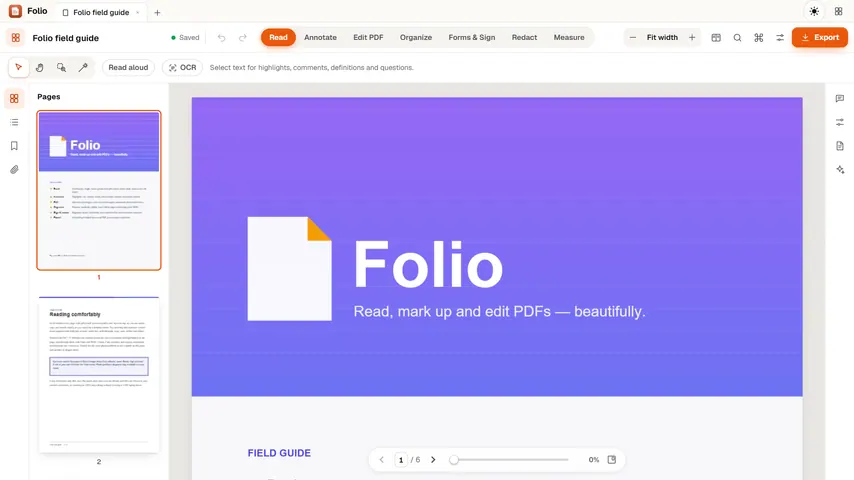
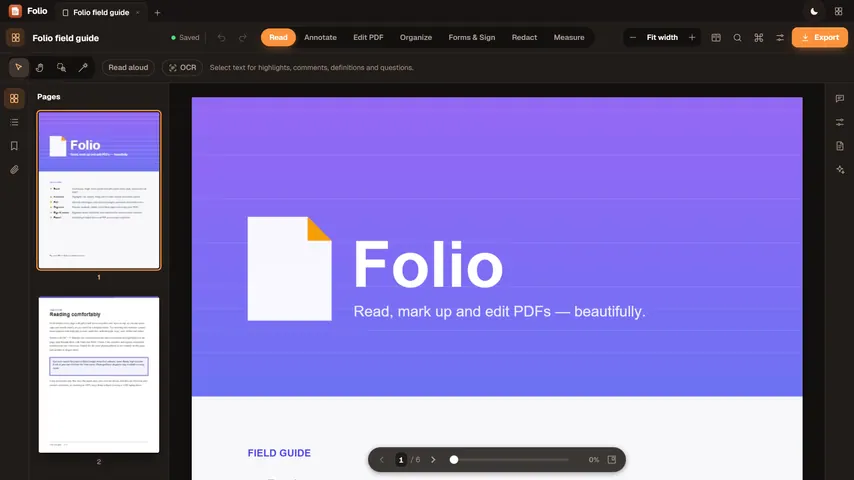
Took pictures of a form, a receipt or your notes? Drop them into Folio and they become one PDF, one photo per page, ready to sign, mark up, make searchable or send.
Free with a SEMDIV account: up to 20 PDFs, 100 MB each.
How it works
- 1
Drop your photos
Choose one or many JPG, PNG or WebP photos at once.
- 2
Tidy the pages
Reorder, rotate or delete pages, and run OCR to make the text searchable.
- 3
Export the PDF
Save one PDF with every page in it.
What you can do with Folio
Many photos, one PDF
Every photo becomes a page of a single PDF, in the order you chose them.
Sized to print
Large photos are scaled to fit an A4 page width; small ones keep their size.
Common formats
JPG, PNG, WebP, GIF and BMP images all work.
Make it searchable
Recognise the text in the photos with on-device OCR.
Sign and mark up
Fill, sign, highlight or redact before you send it.
No upload
The conversion runs in your browser on your device.
More Folio workflows
PDF Editor →
Folio opens any PDF instantly and gives you precision tools to highlight, comment, sign and redact. The PDF itself stays in your browser on your device; your edits follow your workspace.
Sign PDF Online →
Skip printing, scanning and expensive e-signature subscriptions. Folio lets you fill out PDF form fields, add checkmarks and dates, and place a crisp drawn or typed signature — while keeping the confidential PDF on your own device.
Redact PDF Online →
Drawing a black rectangle over text in a regular PDF editor is a classic security disaster — anyone can still select, copy or search the text underneath. When you apply redactions in Folio, every redacted page is flattened and rasterized with the opaque black boxes burned in on top, permanently destroying the underlying text and vector data.
Merge & Organize PDF →
Clean up messy multi-page PDFs before you send them. Folio lets you append additional PDF files, rotate sideways scans, crop margins, delete blank pages, or split out a clean page range — all locally in your browser.
OCR PDF Online →
A scanned PDF is only pictures of pages, so you can't search it or copy from it. Folio reads the text on each page with on-device recognition, so you can find words, select and highlight them, and export a PDF that's searchable everywhere.
Split & Extract PDF Pages →
Pull a single signed page out of a 90-page contract, remove blank scan sheets, or reorder chapters visually. Folio splits, extracts, deletes and rotates PDF pages locally in your browser without uploading the file.
Hindi & Indian Script PDF OCR →
Scanned circulars, gazettes, land records, court orders and textbooks in Indian scripts are usually trapped as flat images. Folio runs optical character recognition (OCR) in 14 languages — including Hindi, Bengali, Tamil, Telugu, Marathi and English — right on your own device.
Questions about Folio
Are my photos uploaded?
No. Folio builds the PDF inside your browser on your device.
Can I combine several photos into one PDF?
Yes. Select or drop several photos at once and each one becomes a page of the same PDF.
Can I turn a photo of a document into editable text?
Folio recognises the text so it's searchable and selectable. To edit the words as a document, open the PDF in Scribe.
More free tools in SEMDIV
 PressaCompress PDF files
 FluxCutEdit video in your browser
 GridoraA spreadsheet that thinks
 SparkdeckMake slides that move people
 ScribeWrite with clarity
 DriveKeep every file safe
 CalendarPlan your days
 TodoGet the right things done
 ContactsEveryone you know
 MemoCatch the thought
 ChatPrivate messages
 MeetFace-to-face meetings